


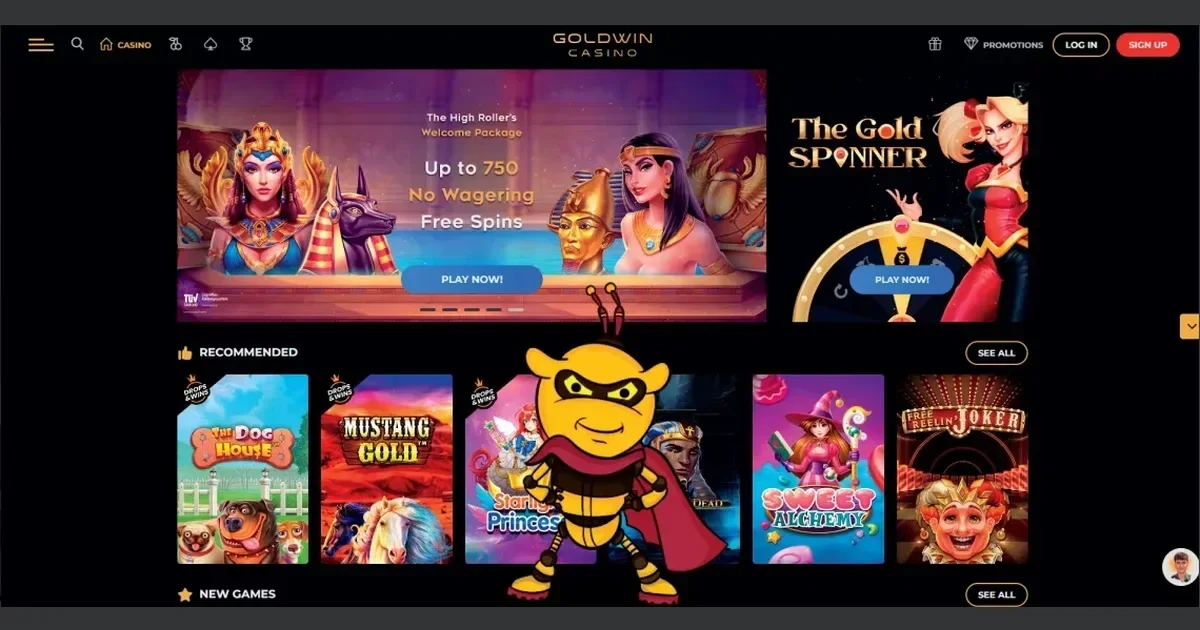
Goldwin runs entirely in your mobile browser, with no native app required. The same account you use on desktop opens on your phone, and you get the full game library, the cashier, and support without installing anything. This page walks through how access works, what you can actually do from a phone, where mobile falls short, and what to check before you play.
Before you play on mobile
Three things to settle before you open Goldwin on a phone: your connection, the operator's own address, and the limits you set before the session starts.
Use your own connection. Public WiFi at a café or an airport is shared and unsecured. If you log into your account over it, anyone on the same network can see your traffic. A mobile data connection or your home WiFi is private; public WiFi is not.
Type the address yourself. Goldwin's domain is gold-win-casino.nl. A search result or a link from an email can take you to a phishing page that looks identical but harvests your login. Type the address into your browser or use a saved bookmark.
Set deposit limits before you start. You can set deposit limits by contacting the Live Chat support team. A limit set on desktop applies on mobile too, and it is easier to set one when you are not mid-session. Once it is in place, the casino blocks any deposit that would breach it.
How access works here
Goldwin runs in any modern mobile browser. Open Chrome, Safari, Firefox or Edge on your phone, type gold-win-casino.nl into the address bar, and the site loads. No download, no store listing, no permissions to grant.
Log in with the same username and password you use on desktop. If you have not registered yet, tap the Register button in the upper right corner and fill in the form. Registration takes the same details on mobile as it does on a computer.
The operator provides a native Android app that can be installed directly via an APK download from the site. If you prefer an installed icon to opening the browser every time, the APK is available on Goldwin's own pages. iOS users access the site through Safari.
The cashier and support on a phone
Deposits and withdrawals work the same way on mobile as they do on desktop. Tap the cashier icon, choose your method, and follow the prompts. The minimum deposit is EUR 20 / USD 20 / GBP 20 / CAD 20 / ZAR 300 / NOK 200, and that figure applies whether you deposit from a phone or a computer.
Goldwin supports VISA, MasterCard, Trustly, Skrill, Ecopayz, Neteller, Paysafecard, and Zimpler, among others. Crypto transactions are also supported. Every method available on desktop is available on mobile, and the same limits apply.
Withdrawals follow the same process. The minimum withdrawal figure is stated three different ways across the operator's terms, so no single number can be quoted here with confidence. The maximum withdrawal per transaction is also stated three different ways. The safest approach is to check the cashier page itself before you request a payout.
| Action | Mobile | Desktop |
|---|---|---|
| Deposit | Same methods, same limits | Same methods, same limits |
| Withdrawal | Same methods, same limits | Same methods, same limits |
| Verification | Upload documents via support email | Upload documents via support email |
Support reaches the same channels on mobile. You can email [email protected], use the Live Chat, or call +498007244103. Live Chat opens in a small window that overlays the game or the cashier page, so you do not lose your place while you wait for a reply.
Verification from a phone
The identity of the player will be verified on cumulative withdrawals of EUR 2,000. When that threshold is reached, you upload a valid photo ID and recent proof of address. The easiest way to do this from a phone is to take a photo of each document and send it to support via email.
If you do not send the documents within 3 days of the request, the operator reserves the right to reverse your funds. The same rule applies whether you are asked on mobile or on desktop.
Day-to-day use
The game library on mobile is the same as the one on desktop. Goldwin runs thousands of slot games from providers including Playson, Play'n GO, Pragmatic, Gamebeat, and NetEnt. Slots, table games, and live casino all load in the browser.
Live casino tables render well on a phone. The video feed scales to fit your screen, and the betting interface stays legible. A tablet gives you more screen real estate, but a phone works if you are comfortable with smaller touch targets.
Slots are the easiest category on mobile. The reels fill most of the screen, and the spin button and the bet controls are large enough to tap without zooming in. Autoplay and turbo modes work the same way they do on desktop.
Table games – roulette, blackjack, baccarat – are playable on mobile but cramped. The betting grid on roulette or the hand of cards on blackjack takes up most of the screen, and the chip denominations are small. If you play these regularly, a larger screen is better.
The loyalty programme on mobile
Goldwin's multi-tier loyalty system runs on mobile as it does on desktop. You progress through Bronze, Silver, Gold, Platinum, Diamond, Prestige, and Elite tiers. Each tier unlocks rewards: bonus rewards and tournament access at Bronze, special daily promotions and personalised deposit bonuses at Silver, exclusive event promotions and a birthday bonus at Gold.
Platinum adds activity-based no-deposit gifts and a bonus-back feature. Diamond increases deposit and withdrawal limits and unlocks personalised free bonuses. Prestige adds a cashback feature and prioritised withdrawals. Elite brings real-life prizes and invitations to exclusive events.
Your tier status is tied to your account, so it is the same whether you log in from a phone or a computer.
What gets cramped on a small screen
Three things are worse on mobile than they are on desktop: reading the terms, navigating the cashier, and playing table games with a detailed betting grid.
The terms and conditions, the privacy policy, and the bonus terms are written for a wide screen. On a phone, you scroll through many screens of small text. If you need to check a wagering multiplier or a withdrawal limit, do it on desktop where you can see the whole paragraph at once.
The cashier page lists payment methods in a grid. On a phone, the grid collapses into a scrolling list, and the icons are small. Finding the method you want takes longer than it does on a computer.
Roulette and blackjack are playable on mobile but not comfortable. The betting grid on roulette is divided into small cells, and placing a split bet or a corner bet on a phone means tapping a target the size of your fingertip. Blackjack works better because the decisions are simpler, but the cards are small.
Slots and live dealer games have fewer problems. Slots are designed for touch screens, and live casino tables scale the video feed and the betting interface to fit your screen.
Staying in control on a device you always carry
A phone is always with you, which makes it easier to play impulsively than a desktop computer does. Three practical steps help: setting session time limits, using the self-exclusion tools Goldwin provides, and signing out when you are done.
Session time limits. You can set maximum session time limits by contacting the support team. The casino locks you out when the time is up, and you cannot override it by logging in again. This is the only tool that stops a session before you decide to stop it yourself.
Self-exclusion. Self-exclusion can be activated by emailing support, and the account will remain closed for a minimum of 6 months. The request takes effect within 24 hours of receipt. If you need a shorter break, you can freeze your account for a week, a month, 3 months, or 6 months by contacting Customer Support. The setting is applied immediately.
Sign out when you finish. If you leave the casino open in your browser and someone else picks up your phone, they can see your balance and your transaction history. Signing out takes one tap, and it means the next person who opens the browser sees the login screen instead of your account.
Battery, connection and session length
Playing on mobile drains your battery faster than browsing or reading does. Live casino tables stream video continuously, and slots with detailed graphics and animations use more power than simpler games. If you play for more than an hour, your phone will need charging.
A weak mobile signal interrupts the connection. If you are playing a slot and the connection drops, the game freezes. When the connection returns, the game reloads and picks up where it left off. Your bet is not lost, but the interruption is frustrating.
Live casino tables are more sensitive to connection quality. A dropped connection during a hand of blackjack or a spin of roulette means you miss the result. The casino treats this as a disconnection: your bet stands, and the outcome is determined as if you had stayed in the hand. You see the result when you reconnect, but you do not see it happen.
Responsible gambling
Gambling should be entertainment, not an obligation. If you find yourself playing more than you planned, if you chase losses, or if you borrow money to gamble, those are signs the activity has stopped being fun.
Goldwin provides tools to help you stay in control. You can set deposit limits by contacting the Live Chat support team. Any notice increasing or revoking a limit or decreasing exclusion is accompanied by a 7-day cool down period. You can freeze your account for a week, a month, 3 months, or 6 months by contacting Customer Support. The setting is applied immediately. Self-exclusion can be activated by emailing support, and the account will remain closed for a minimum of 6 months.
Free, confidential support is available in the UK through GamCare at gamcare.org.uk or by calling the National Gambling Helpline on 0808 8020 133, which is open 24/7. BeGambleAware at begambleaware.org provides information and self-assessment tools. GamStop at gamstop.co.uk offers free national self-exclusion across licensed sites.
Blocking software such as Gamban (gamban.com) and BetBlocker (betblocker.org, free and multi-platform) blocks access to gambling sites on your devices. If you share a device with someone under 18, parental-control software such as Net Nanny or Qustodio prevents them from reaching gambling sites.
This site is for players aged 18 and over (18+). If gambling ever stops feeling like entertainment, free and confidential help is available at BeGambleAware.org.