


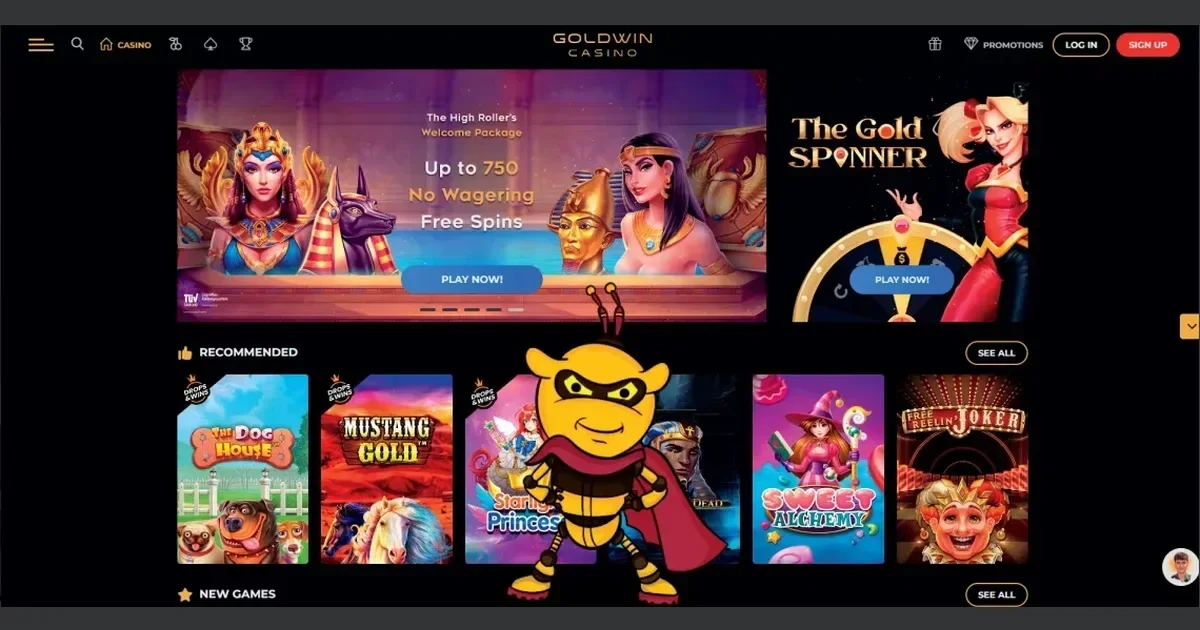
Goldwin is the operator that holds your account — only their team can access, restore or unblock it. This page explains how sign-in works, what to do when something goes wrong, and which door to knock on when you need help.
The route to your account
Signing in takes three steps, and they are the same whether you are depositing, claiming a bonus, or checking a withdrawal.
- Open the Goldwin site directly — type the address or use a bookmark you set yourself.
- Click the sign-in button to open the login form.
- Enter the e-mail address and password you chose when you registered, then confirm.
If you do not yet have an account, registration also happens at the Goldwin site — the sign-up process is separate from sign-in and is handled entirely by the operator.
Getting in from a phone
Goldwin's site runs in a mobile browser without any separate download required for basic access. Open the address in Safari, Chrome or your browser of choice, and sign in with the same e-mail and password as on desktop — the account is one and the same.
Goldwin does offer a native Android app that can be installed directly via an APK download from the site, as well as a dedicated Telegram bot (@TheGoldWinBot) for players who prefer a lighter interface. Both use the same account credentials you set at registration.
The handful of things that go wrong
Most sign-in failures have a straightforward cause. Work through this list before contacting support:
- Wrong e-mail or password — check for a typo, confirm you are using the address you registered with, and check that Caps Lock is off.
- Unverified account — if you did not confirm your registration e-mail, the account may not be fully active yet. Check your spam folder for the verification message.
- Browser or session issue — clear cookies and cached data, or try a different browser. A stale session can block a new sign-in.
- Regional restriction — Goldwin restricts access from certain countries. If you are connecting through a VPN or proxy, the site may refuse the session.
- Account hold or self-exclusion in force — see the section below on deliberate blocks.
Getting back in after a forgotten password
Use the password-reset option on the Goldwin sign-in page. The operator sends a reset link to the e-mail address on the account.
If that address is no longer reachable — the inbox is closed, or you no longer have access to it — contact Goldwin's support team directly. They will ask you to verify your identity before making any change to the account. The channels are listed in the section below.
When the block is deliberate
Some sign-in failures are not errors — they reflect a deliberate restriction. The table below covers the main causes and what follows from each.
| Cause | What happens |
|---|---|
| Self-exclusion requested | Account closed for a minimum of 6 months from the date of the request; takes effect within 24 hours. Cannot be reversed during that period. |
| Cooling-off / account freeze | Account frozen for a week, a month, 3 months or 6 months at the player's request. Applied immediately by the support team. |
| KYC verification pending | Goldwin requests valid photo ID and recent proof of address on cumulative withdrawals of £2,000 or more. The operator may reverse funds if documents are not submitted within 3 days of the request. |
| Inactivity | An account inactive for more than 12 months is subject to a monthly maintenance fee of €5 from the 13th month onward. After 30 months of inactivity, any remaining balance is remitted to the player. |
| Duplicate account detected | A fee of 50% of the deposited amount is applied. If bets were placed from the duplicate account and resulted in winnings, those winnings are voided. |
Self-exclusion is not a login bug, and this page does not offer a workaround. If you requested a self-exclusion and want to discuss your options, contact the operator's support team or speak to one of the organisations listed in the responsible gambling section at the bottom of this page.
The right door for help
Goldwin offers three support channels. Before you write, have the following ready: the e-mail address registered on the account, the approximate time the problem started, and any error message shown on screen — that information lets the first reply be useful rather than a request for more detail.
- Live Chat — available on the Goldwin site.
- E-mail — [email protected] (the operator's own support address, not this portal's).
- Phone — +498007244103.
This portal's inbox at [email protected] handles questions about our content only — it cannot access any player account and cannot raise issues with the operator on your behalf.
Keeping access safe
A few habits make an account considerably harder to lose access to.
- Open the Goldwin site only by typing the address or using a bookmark you created yourself. A link in an unsolicited e-mail or message may not lead where it appears to.
- Use a password that is unique to this account — not shared with an e-mail inbox or another service.
- Sign out completely when you finish a session on a shared or public device.
Responsible gambling
Gambling is entertainment. If it starts to feel like an obligation, or if you find yourself chasing losses, the tools below are there to help.
Goldwin's own controls include deposit limits (set via Live Chat), session time limits (contact the support team), and account freezes from one week to six months. A self-exclusion request closes the account for a minimum of six months and takes effect within 24 hours. Any request to increase a limit or reduce an exclusion carries a 7-day cooling-off period.
UK support organisations:
- GamCare — National Gambling Helpline: 0808 8020 133 (free, 24/7)
- BeGambleAware
- GamStop — free national self-exclusion scheme
- Gordon Moody — residential and online treatment
- Blocking software: Gamban and BetBlocker (free, multi-platform)
18+ only. If a device is shared with someone under 18, parental-control software such as Net Nanny or Qustodio can prevent access to gambling sites.
You must be 18 or over (18+) to use this site. For free, confidential support with gambling, visit BeGambleAware.org.